Data 360 Unified Profile in Minutes: The Prompt I Use
You asked for a paste ready version - here it is, with everything you need to change for your client.
Introduction.
In the previous article I described how to simply build a Salesforce Data 360 Unified Profile for demo/presentation purposes. If you missed it, please read it here. I received a few messages asking for a “paste ready” prompt, so it’s even easier to replicate - and here I will guide you through it, so it takes a few minutes to generate a proper result.
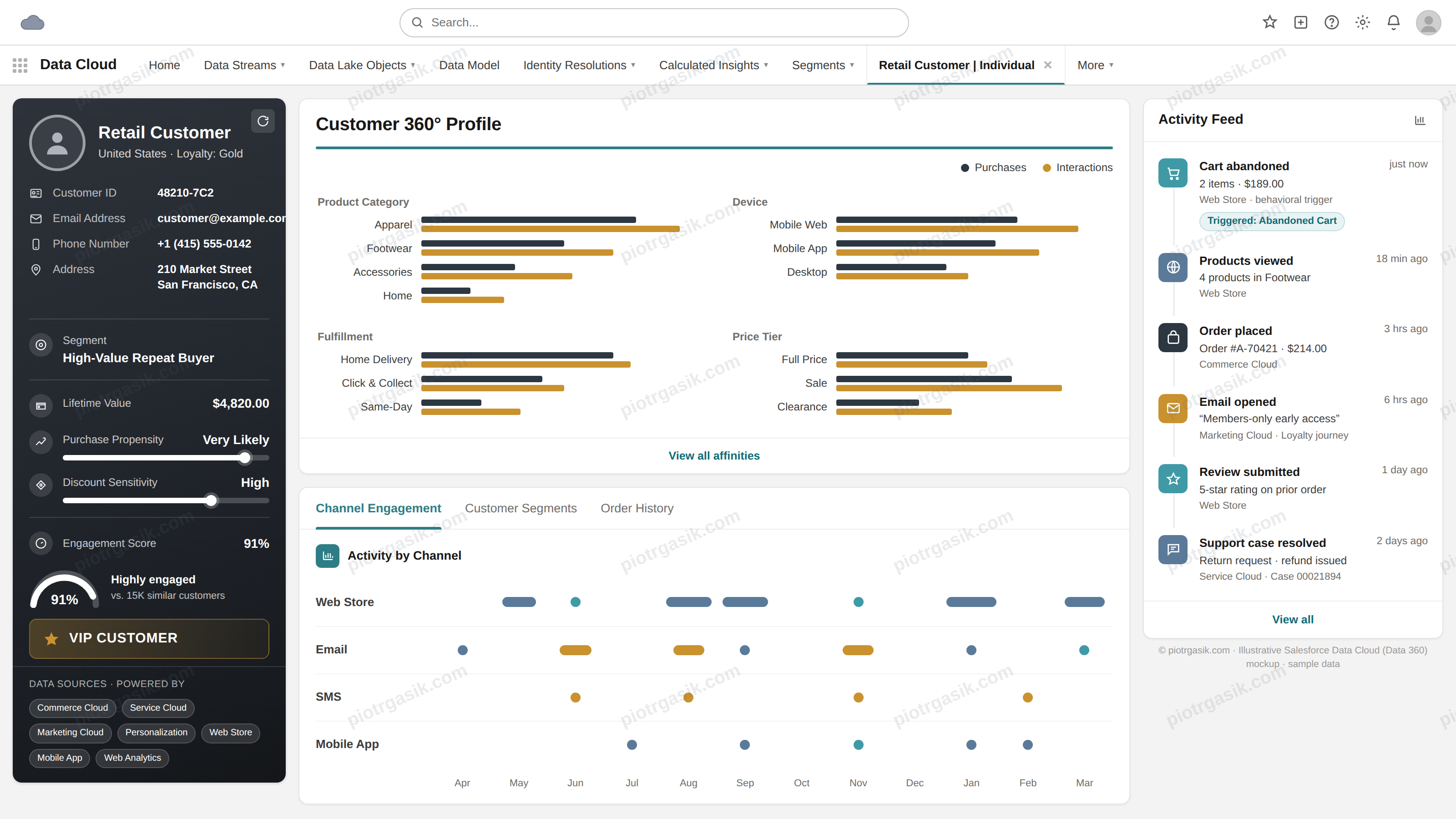
Structure of prompt
Reminder of what you should include*:
- Introduction of what you would like to get - Data 360 Unified Profile for brand [XYZ]. Few words about the brand, what’s important for the context.
- Provide example of Unified Profile you built or have in the presentation (more - better). You can use examples from above.
- Give business context - what client may struggle with, anything significant that should be included. It’s the most important part, so the client thinks “Yes, this is my customer’s 360 profile”.
- Include what you spoke about. Client relies on LTV? Include it in your profile. Churn rate is important? Display it in your profile. Speak more about calculated insights.
- Ask for HTML & image - HTML works the best in my opinion as it looks natural while presenting. Image is good to share.
- Provide screenshot of actual Data 360 UI so it can look exactly like the system.
Prompt
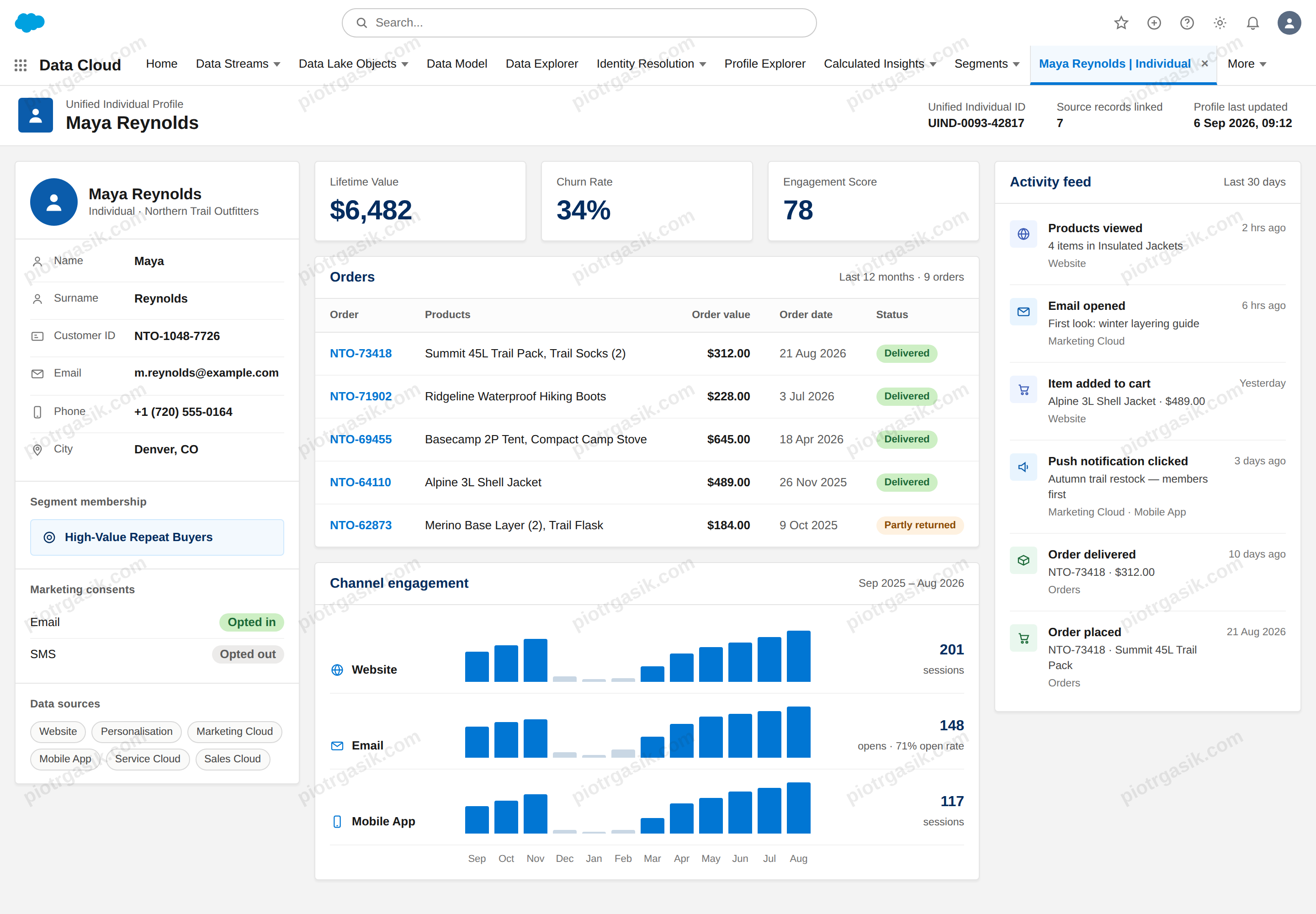
For the purpose of this article I decided to build a Unified Profile for Northern Trail Outfitters, so you can see how it’s built - with the result below.
Prompt · the one I used
I'm a Salesforce Data 360 Consultant presenting Data 360 to a prospect, NTO Ecommerce. I want a realistic Unified Profile to show off the Unified Profile capability.

TASK
Build a Data 360 Unified Profile as ONE HTML file (CSS inline, no external JS) and a PNG render of it. It must look like a real Data 360 screen when you open it - clean, and filling the FULL desktop width (~1440px), not a narrow column. Keep it simple. Only include what I list below. Do NOT add extra panels, charts, action buttons, or governance/consent sections - that makes it look cluttered and fake.

PROSPECT
Northern Trail Outfitters - a made-up outdoor gear e-commerce brand (jackets, boots, tents, trail gear). Don't pull real data from the site; just keep it on-brand and realistic.

REFERENCE
Data360UI - copy this visual style closely (colors, header, cards, tabs, fonts, spacing). This is how the final should look.
UnifiedProfileEcommerceExample.png - layout inspiration only (e-commerce, like my prospect).
UnifiedProfileB2BExample.png - layout inspiration only.

PERSONA
One customer, one consistent story: a high-value, loyal repeat buyer, strong email and app engagement, who went quiet last winter. Every number should fit that story.

INCLUDE (nothing more):
- Customer details: Name, Surname, Customer ID, Email, Phone, City.
- Calculated Insights: LTV, Churn Rate, Engagement Score - just metrics, without additional information.
- Main Segment membership (under customer details) - just a name of the example segment, without details of the segment
- Orders / product engagement: a few realistic orders with products, values, dates.
- Activity feed: recent events across Marketing, Website, and Orders, with timestamps.
- Channel engagement: Website, Email, Mobile App.
- Marketing Consents: Email & SMS (under customer details).
- Data sources: Website, Personalisation, Marketing Cloud, Mobile App, Website, Service Cloud, Sales Cloud (under customer details).

Match the clean Data 360 look from Data360UI, use the full width in the HTML so it's not narrowed, and don't over-design it.
Results
Here you can see what the outcome looks like. I did a lot of tests and no matter what, the outcome will always differ slightly. Sometimes you may need to correct a section if you don’t like something. Play with it and improve it for your needs!
Prompt template
You can use this template directly. Change the placeholders accordingly, depending on the use case you are building. Include realistic metrics so it’s personalised.
Replace everything in [BRACKETS] with your own details. Leave the rest as is.
Prompt template · paste ready
I'm a [YOUR ROLE, e.g. Salesforce Data 360 Consultant] presenting Data 360 to a prospect, [PROSPECT NAME]. I want a realistic Unified Profile to show off the Unified Profile capability.

TASK
Build a Data 360 Unified Profile as ONE HTML file (CSS inline, no external JS) and a PNG render of it. It must look like a real Data 360 screen when you open it - clean, and filling the FULL desktop width (~1440px), not a narrow column. Keep it simple. Only include what I list below. Do NOT add extra panels, charts, action buttons, or governance/consent sections - that makes it look cluttered and fake.

PROSPECT:
[COMPANY NAME] - a [INDUSTRY / CATEGORY, e.g. outdoor gear e-commerce] brand
([PRODUCT EXAMPLES, e.g. jackets, boots, tents, trail gear]).

Website: [WEBSITE]

REFERENCE
[YOUR_UI_SCREENSHOT] - copy this visual style closely (colors, header, cards, tabs, fonts, spacing). This is how the final should look.
[EXAMPLE_PROFILE_1] - layout inspiration only (closest match to my prospect).
[EXAMPLE_PROFILE_2] - layout inspiration only.

PERSONA
One customer, one consistent story: [PERSONA IN ONE LINE, e.g. a high-value, loyal repeat buyer, strong email and app engagement, who went quiet last winter]. Every number should fit that story.

INCLUDE (nothing more):
- Customer details: Name, Surname, Customer ID, Email, Phone, City.
- Calculated Insights: [INSIGHT 1, e.g. LTV], [INSIGHT 2, e.g. Churn Rate], [INSIGHT 3, e.g. Engagement Score] - just metrics, without additional information.
- Main Segment membership (under customer details) - just the name of the example segment, no segment details.
- Orders / product engagement: a few realistic orders with products, values, dates.
- Activity feed: recent events across [CHANNELS, e.g. Marketing, Website, and Orders], with timestamps.
- Channel engagement: [CHANNEL 1, e.g. Website], [CHANNEL 2, e.g. Email], [CHANNEL 3, e.g. Mobile App].
- Marketing Consents: [CONSENT TYPES, e.g. Email & SMS] (under customer details).
- Data sources: [SOURCE LIST, e.g. Website, Personalisation, Marketing Cloud, Mobile App, Service Cloud, Sales Cloud] (under customer details).

Match the clean Data 360 look from [YOUR_UI_SCREENSHOT], use the full width in the HTML so it's not narrowed, and don't over-design it.
Feel free to add more - better prompt, better outcome. Feel free to play around 🙂
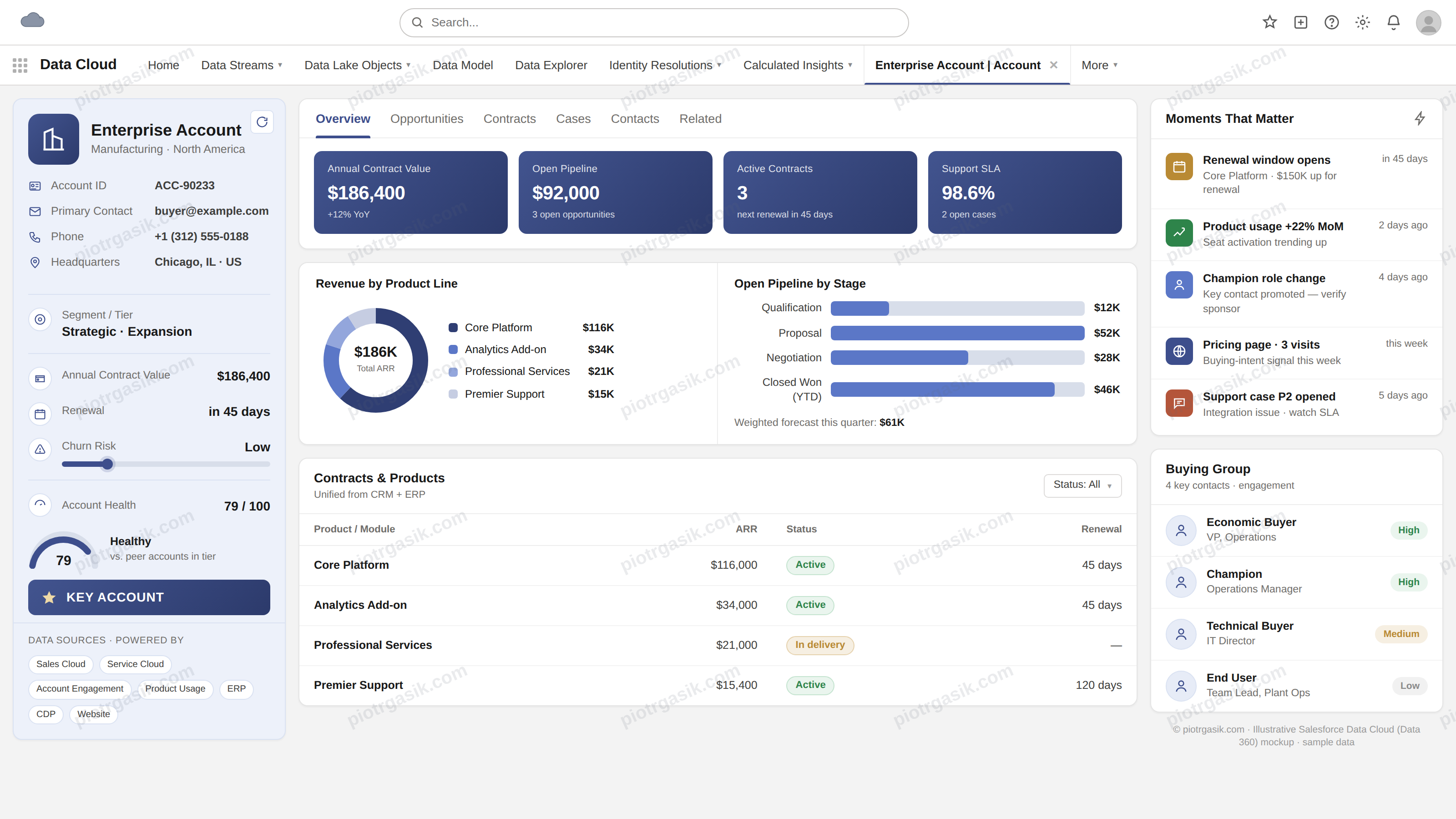
Generic files used in the prompt:

Summary
Now you can easily build your own Data 360 Unified Profile. I hope it’s going to improve your presentation.
In the next article I want to focus on the more technical part of the Unified Profile. Is the reality as shiny as the result? Is it expensive to maintain? Where should we pull the data from? Stay tuned.